

Quantum Devices
Monitor availability, status, and specifications of quantum devices and simulators.
The Quantum Devices sidebar provides a real-time view of quantum hardware and simulators available through qBraid. Open it by clicking the Devices icon in the top-right of the Lab console.
Device list
The sidebar displays all available quantum devices with their provider, name, and current status. Click the Search devices bar to filter by device name.
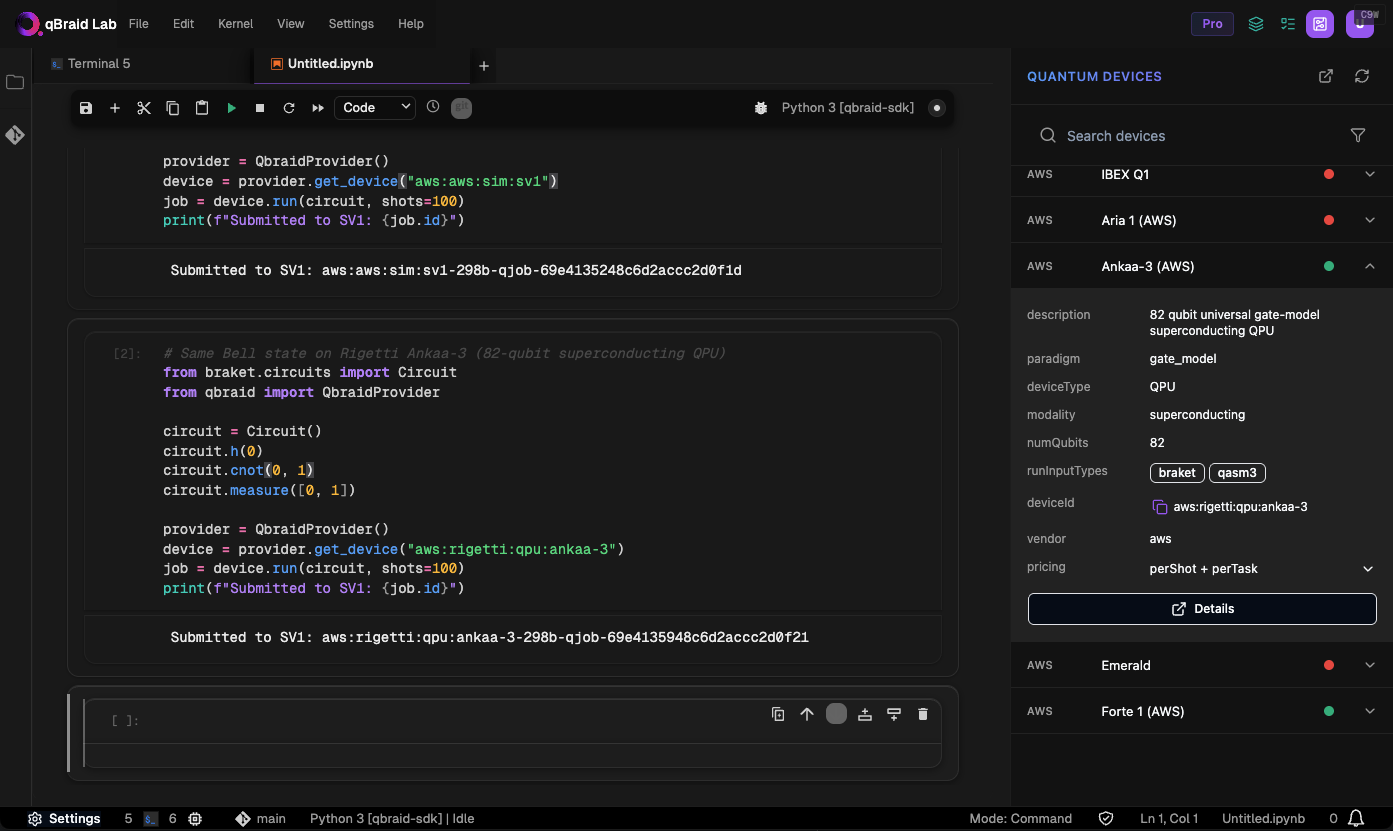
Status indicators
The colored dot next to each device name indicates its current status:
| Color | Status | Meaning |
|---|---|---|
| Green | ONLINE | Fully operational — accepting and executing jobs |
| Grey | UNAVAILABLE | Online but not currently executing — jobs are queued until the next availability window |
| Red | OFFLINE | Not operational or not accepting jobs — expected to return |
| Red | RETIRED | Permanently decommissioned |
Hover over the status dot to see a tooltip with the exact status label.
Pricing
For detailed pricing information on available devices, visit the Pricing page.
qBraid does not provide direct access to IBM devices. To run quantum jobs on IBM hardware, you must use your own IBM credentials. Jobs submitted to IBM devices will not appear in the Quantum Jobs sidebar.
For more details on submitting and managing quantum jobs, visit the Quantum Jobs page.
Thanks for your feedback.