

Personal subscriptions
Compare personal plans, change your plan, and manage billing.
A personal subscription covers your account in qBraid Default. Switch to that workspace, then open Account > Wallet.
Plans
| Plan | Monthly | Annual | CPU hours / month | Storage | Simulator jobs / day | AI allowance |
|---|---|---|---|---|---|---|
| Free | $0 | $0 | 100 | 15 GB | 100 | $5 |
| Standard | $20 / month | $192 / year ($16 / month) | 400 | 50 GB | 500 | $15 |
| Pro | $100 / month | $960 / year ($80 / month) | 2,000 | 150 GB | Unlimited | $50 |
Simulator jobs are per managed simulator. The GPU simulators have a smaller free allowance instead: 25 circuits a day on Free, 125 on Standard, and unlimited on Pro. A batch counts one per circuit.
You pay annual prices once a year. Review the checkout total before you subscribe. CPU hours, simulator job limits, and AI allowances are separate limits, not credits deposited in your wallet. Check Account > Usage for your remaining allowance and renewal date.
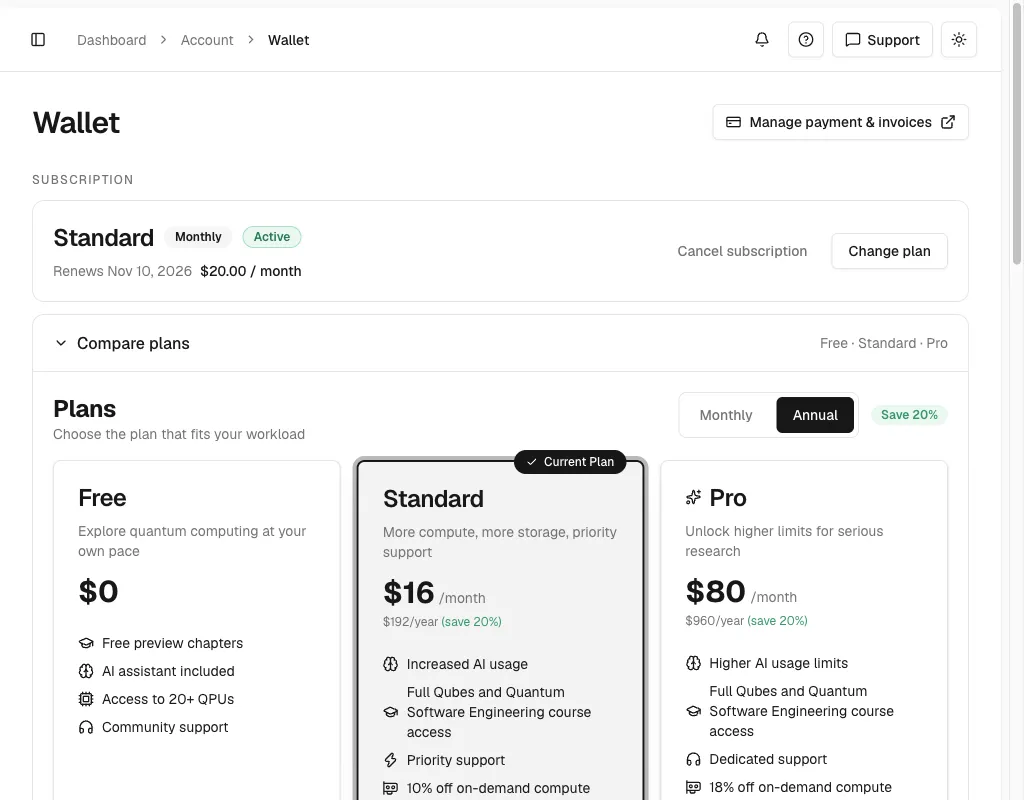
Standard includes full Qubes and Quantum Software Engineering course access and priority support. Pro includes dedicated support. The plan cards also list the on-demand compute discount: 10% for Standard and 18% for Pro. Check the effective resource price before you launch.
All current plans can use the AI model catalog. Plans differ in their AI allowance. See Models and pricing and AI usage quotas.
What each part does
- Subscription card. Shows your tier, a Monthly or Annual badge, a status badge, and the renewal line with your price.
- Discounted price. When a discount applies, the card strikes through the list price and shows a % off badge.
- Change plan. Opens the plan dialog. Pick a tier and interval, preview the price, and confirm.
- Cancel subscription. Opens the cancellation dialog. It shortens to Cancel on narrow screens.
- Scheduled change row. A Switches to plan on date row inside the card. Select Undo to cancel it.
- Cancellation row. A notice that the plan will not renew. Select Keep my plan to resume.
- Compare plans. On paid plans, a collapsed row that expands to the plan cards. Opens automatically at
/account/wallet#available-plans. - Upgrade your plan. On Free, the visible plan grid with a Monthly/Annual toggle and a savings badge.
- Payment link. The Manage payment & invoices button. Opens the Stripe customer portal for payment methods and invoices.
Plan cards show the price, key features, and the on-demand compute discount. They do not show quota meters.
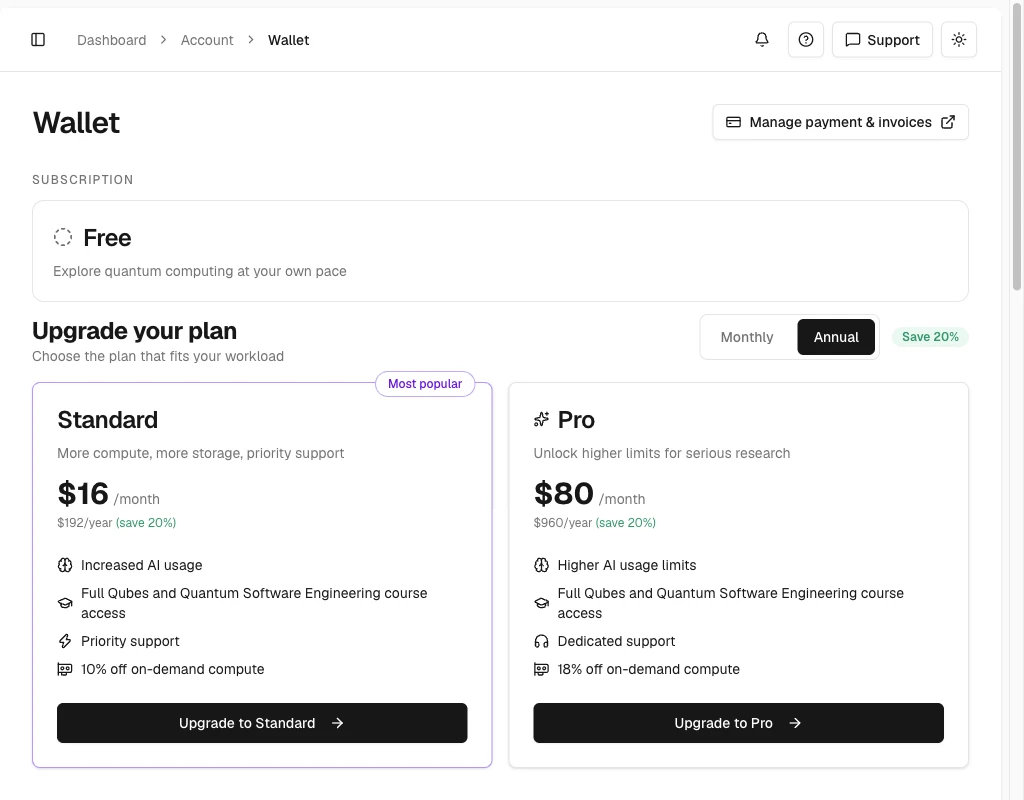
Annual billing shows the monthly equivalent and the full yearly total.
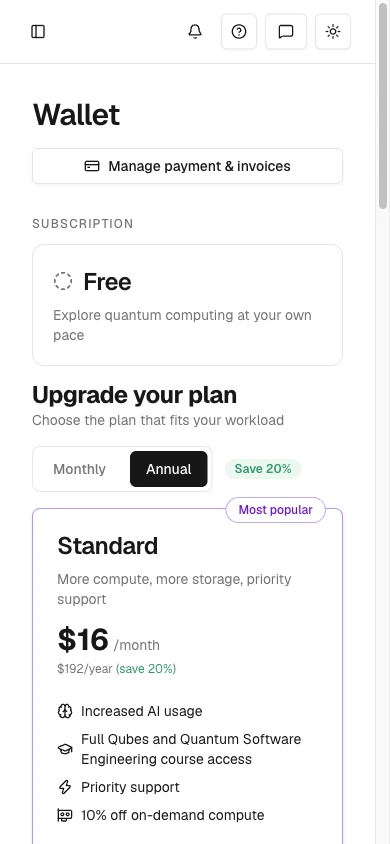
On narrow screens the plan cards stack in one column and Cancel subscription shortens to Cancel.
Buy a plan
Use these steps on the Free plan.
Switch to qBraid Default. Open Account > Wallet.
In Upgrade your plan, choose Monthly or Annual.
Select Upgrade to Standard or Upgrade to Pro. A Confirm Subscription dialog opens. It lists the plan, the billing interval, and the total.
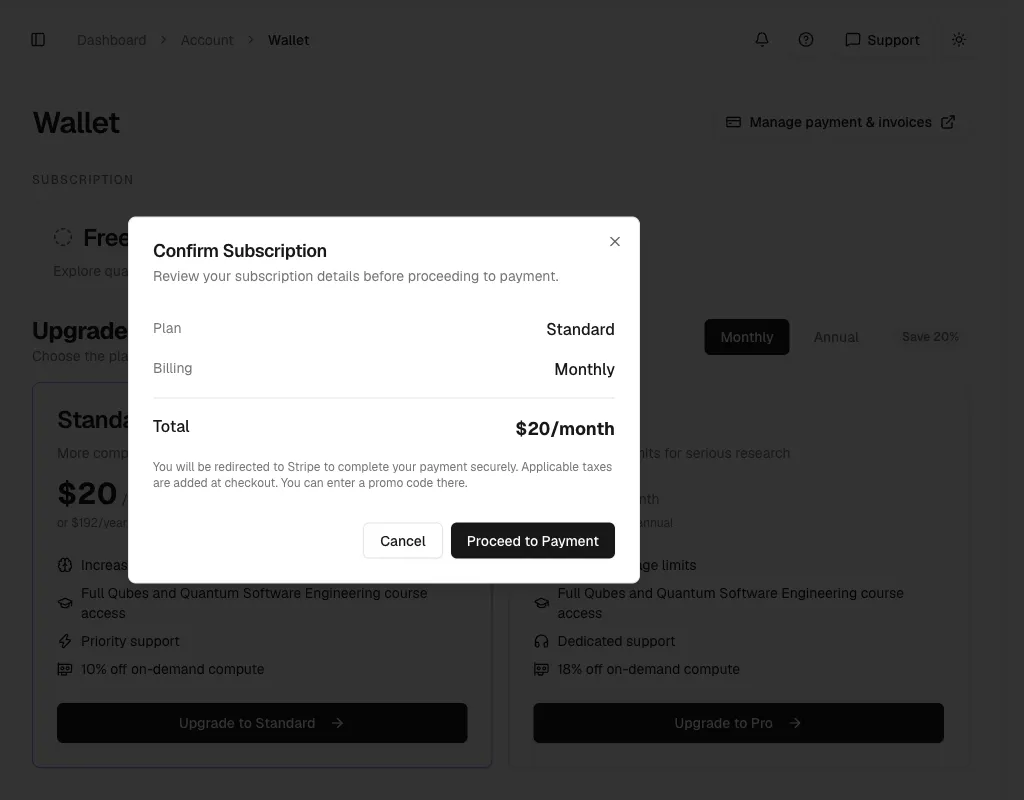
Select Proceed to Payment. Stripe opens. Stripe adds any taxes at checkout. Enter a promo code on the Stripe page.
Complete the payment and return to the wallet. Wait for the subscription card to show your plan before you use the new allowance.
Your paid plan
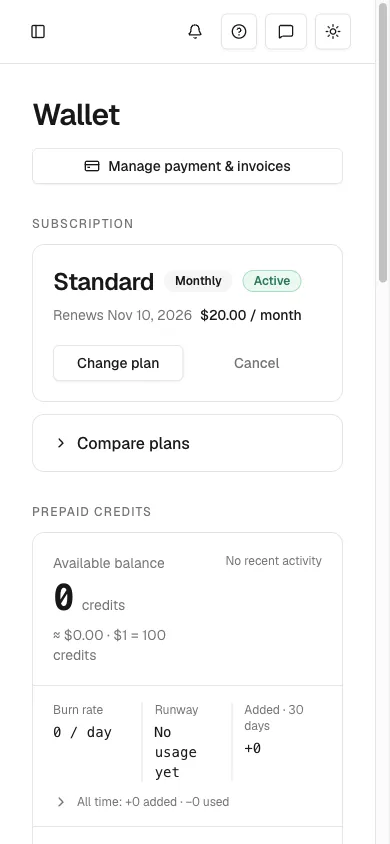
A paid plan replaces the Free card with a subscription card. The card shows the tier, the billing interval, and an Active badge. It also shows the renewal date and the price.
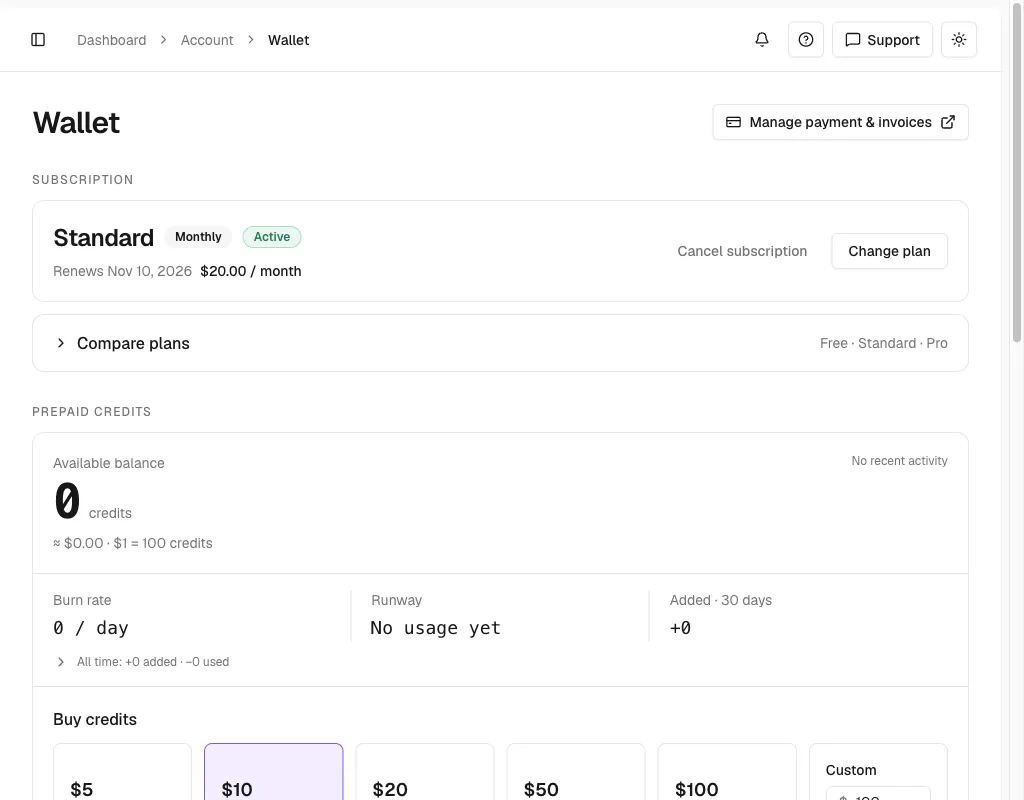
On a phone, the card puts Change plan first. Cancel subscription shortens to Cancel.
Select Compare plans to see all three plans. Your current plan has a Current Plan badge. Use the Monthly and Annual toggle to switch prices.
Change plan
Open Account > Wallet in qBraid Default. Select Change plan on the subscription card.
Choose Standard or Pro. Choose Monthly or Annual. Enter a promo code if you have one.
The preview shows the cost before you confirm. Due today lists a credit for the unused time on your current plan. It also lists a charge for the time left on the new plan. Total due today adds them up. From and a date show your Renewal total. A note below says when the change starts.
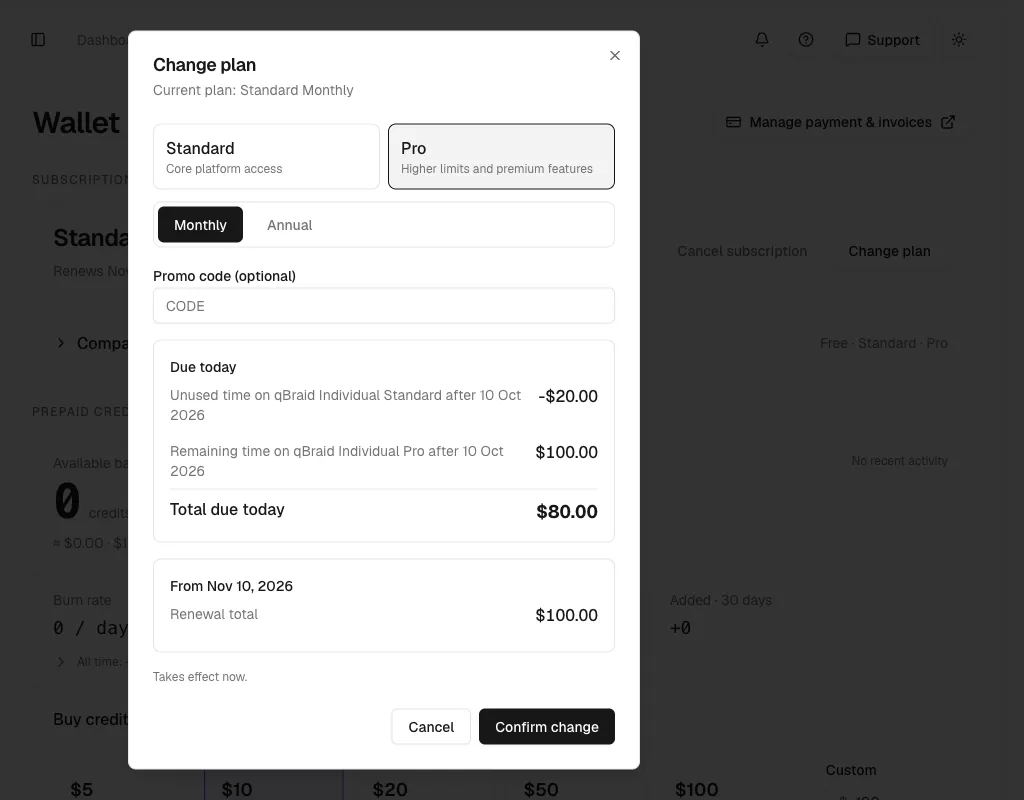
Select Confirm change. The note reads Takes effect now when the change starts at once. Otherwise it gives the date your plan changes. You keep your current plan until then.
A scheduled change shows a Switches to plan on date row inside the card. Select Undo to cancel it.
Manage payment and invoices
Select Manage payment & invoices at the top of the wallet to open the Stripe customer portal. Use the portal to manage your payment method and download invoices.
The wallet also has an Invoices & receipts tab. See Payment history and invoices.
Cancel
Open Account > Wallet in qBraid Default. Select Cancel subscription.
The dialog asks Why are you canceling? Choose one reason. Continue stays off until you choose. Some reasons add an optional note box.
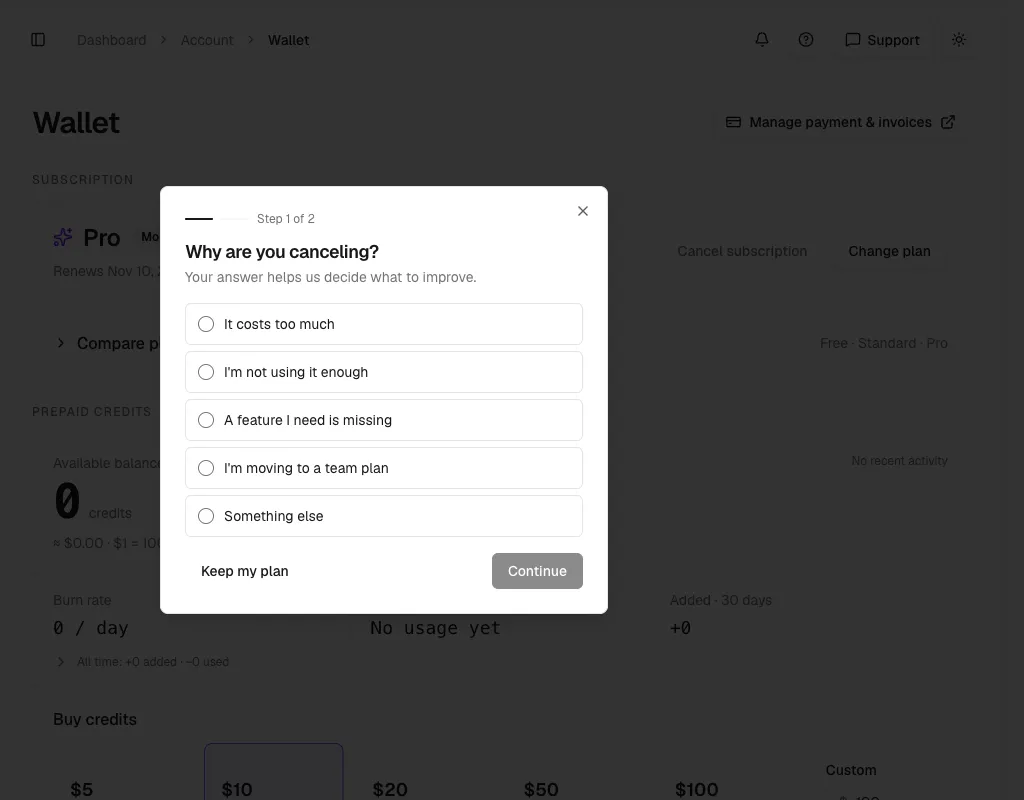
For some reasons, the dialog shows an offer. The offer is a discount or a lower plan. Accept it to keep a subscription. Select Cancel anyway to continue.
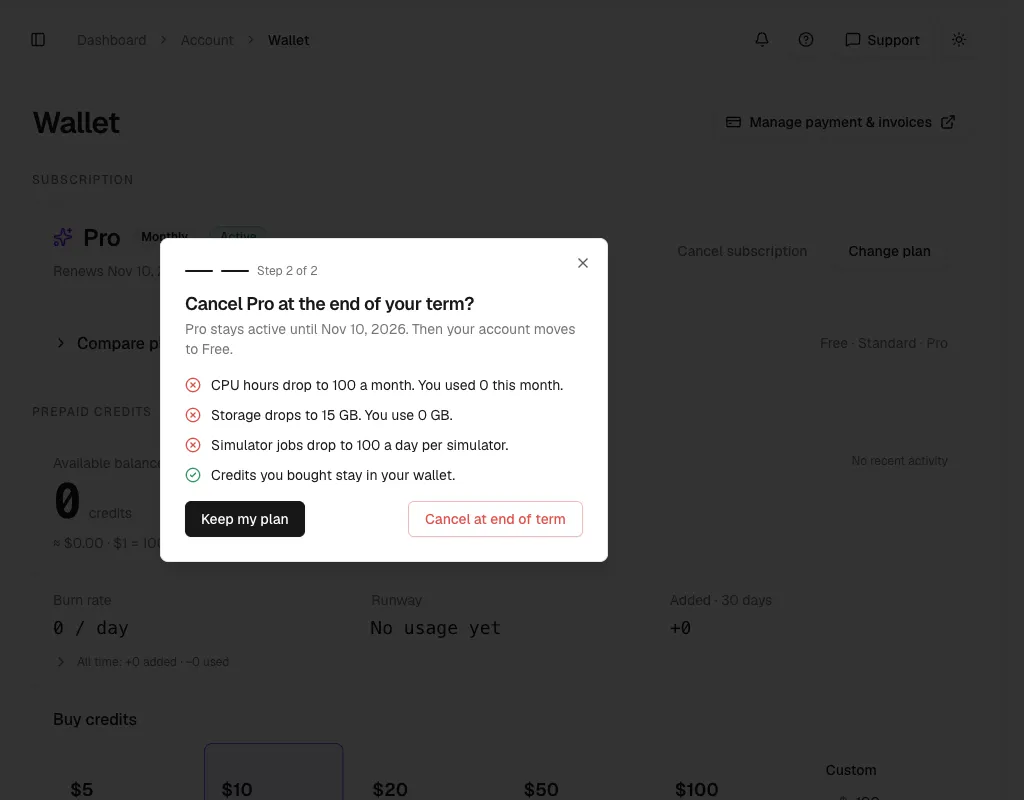
The last step reads Cancel plan at the end of your term? It gives the end date. It lists the limits that drop to Free. It confirms that credits you bought stay in your wallet. Select Cancel at end of term.
An Ends date badge appears on the plan card. The card shows No further charges and a notice that your plan will not renew. You keep the paid benefits until the end date. Then your account returns to Free.
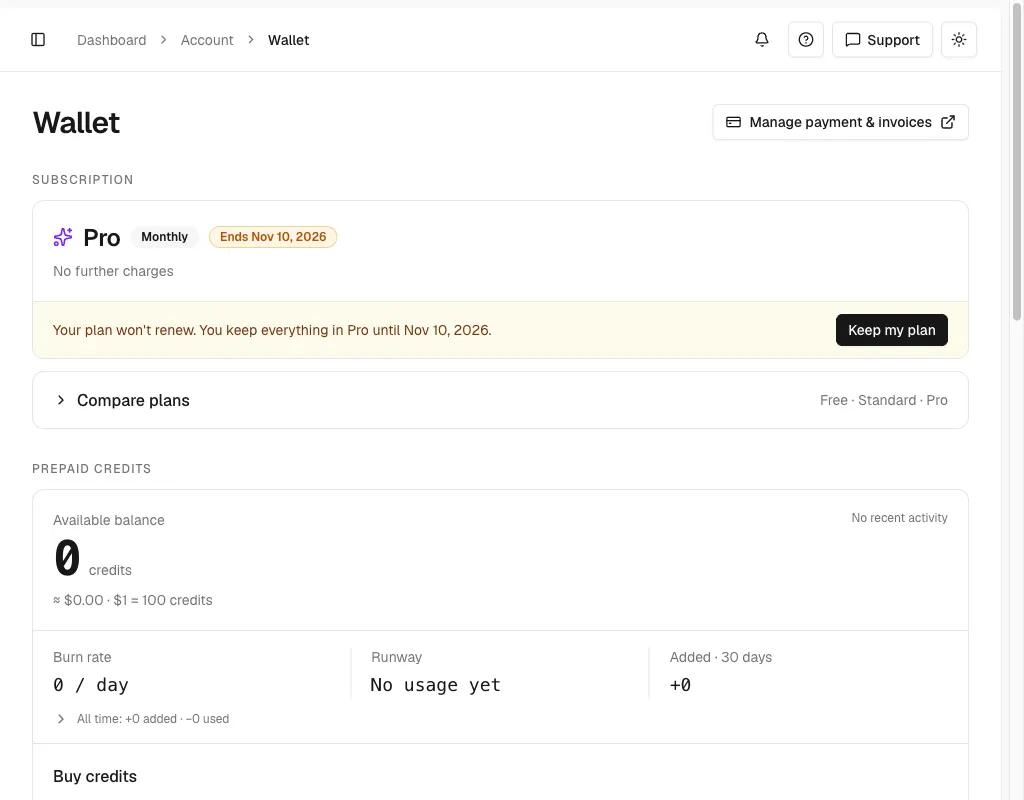
While a cancellation is scheduled, the card hides Change plan and Cancel subscription.
Keep my plan
Use Keep my plan to undo a cancellation before the end date.
Open Account > Wallet in qBraid Default.
In the notice that says Your plan won’t renew, select Keep my plan. The notice goes away. Your plan renews as before.
You can also select Keep my plan inside the cancel dialog. That closes the dialog and changes nothing.
Personal vs team
| Personal | Team | |
|---|---|---|
| Billing scope | Your personal account | The organization |
| Price | Per account | Per seat, minimum two seats |
| Benefits | Your account | Members assigned a seat |
| Where to manage | Wallet and the in-app dialogs | Organization Billing |
| Add capacity | Change plan or upgrade your plan | Add seats and assign them |
In an organization workspace, the wallet shows Your seat instead of the personal subscription card. A member with a seat sees the seat tier. A member without one sees Free with No seat assigned and Plan managed by your organization. There are no buy, plan, or cancel actions on this view.
Select the correct workspace before you review a balance or change a subscription. An organization’s wallet, member allocations, and team subscription are separate from your qBraid Default wallet.
Thanks for your feedback.