Documentation Index
Fetch the complete documentation index at: https://docs.qbraid.com/llms.txt
Use this file to discover all available pages before exploring further.
Organization Subscriptions
qBraid Organizations support centralized billing, allowing an organization to purchase subscriptions and qBraid credits at the org level and distribute them to individual members. Rather than each user managing their own plan, the organization owner purchases a subscription on behalf of the team. Admins can then allocate those resources — credits and plan seats — across members as needed. To manage your organization’s subscription and billing details, visit the Billing dashboard.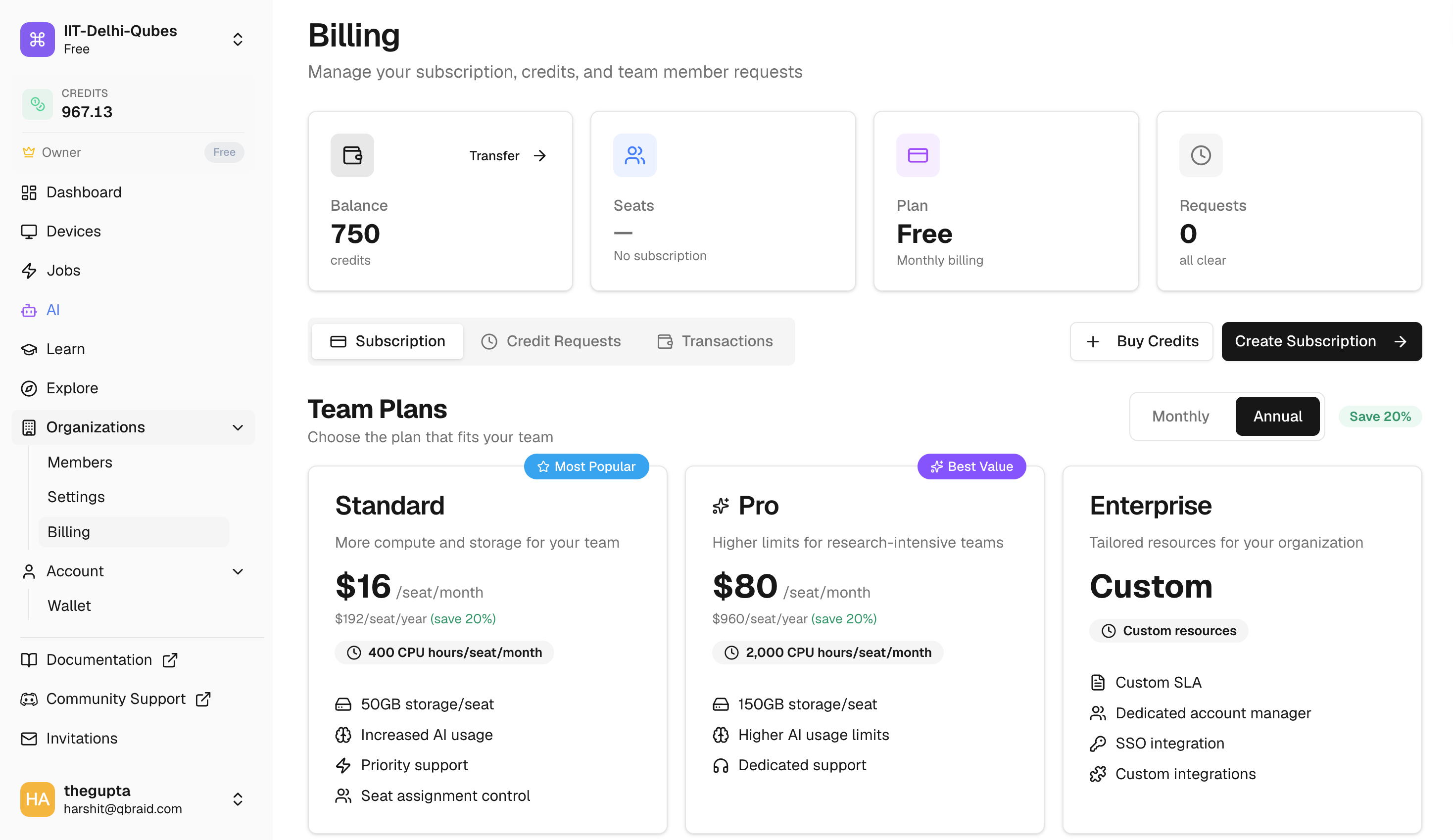
Buying a Subscription
To purchase a subscription, go to the Billing tab and select a plan tier and billing interval (monthly or annual). A minimum of 2 seats is required. Once purchased, seats are immediately available to allocate to members.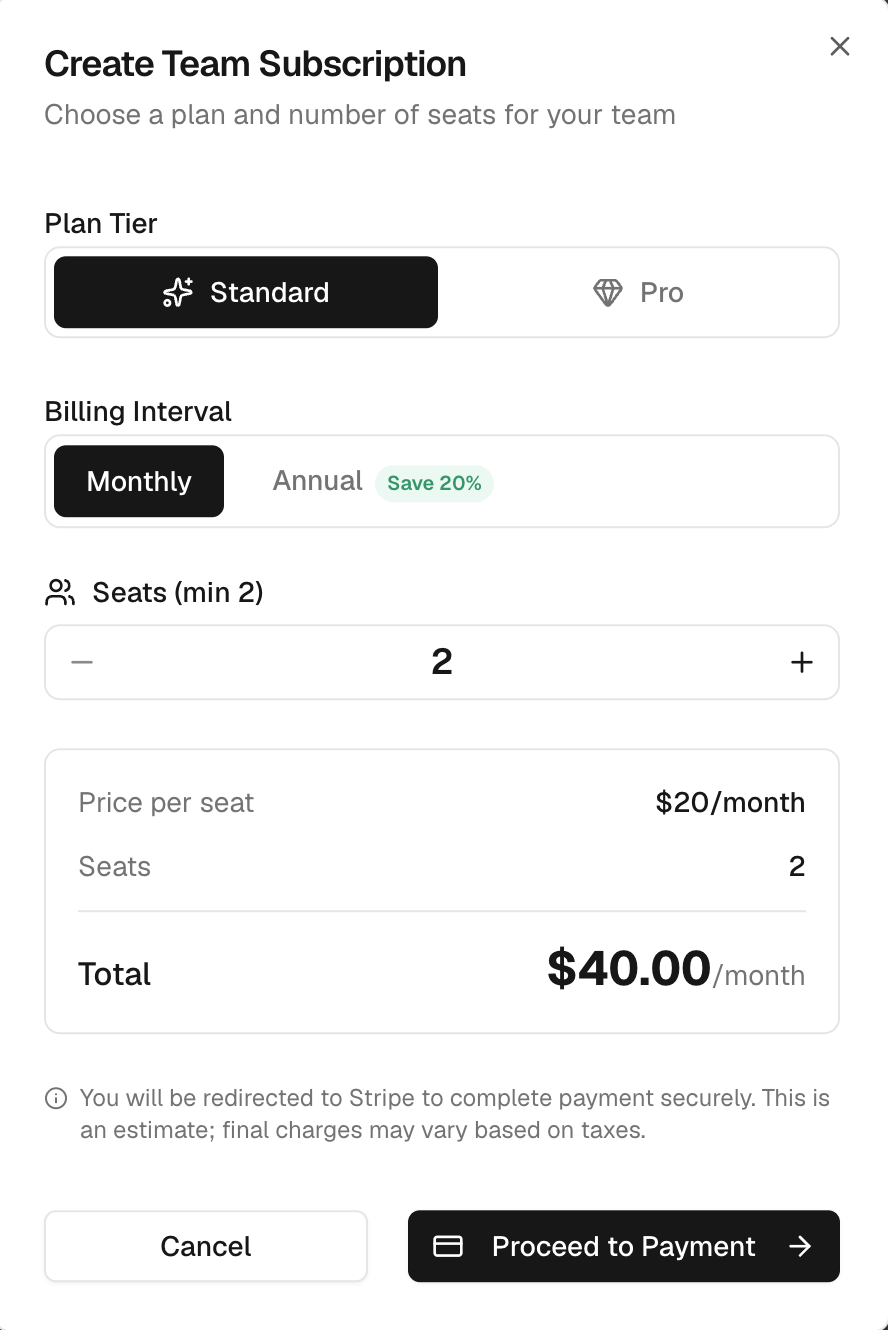
Plan Tiers
| Feature | Standard | Pro |
|---|---|---|
| Monthly CPU compute hours | 400 hrs | 2,000 hrs |
| Disk storage | 50 GB | 150 GB |
| AI chat usage | 5x | 15x |
| Priority support | — | Included |
| Plan | Monthly | Annual (per month) |
|---|---|---|
| Standard | $20 / seat | $16 / seat |
| Pro | $100 / seat | $80 / seat |
Managing Your Subscription
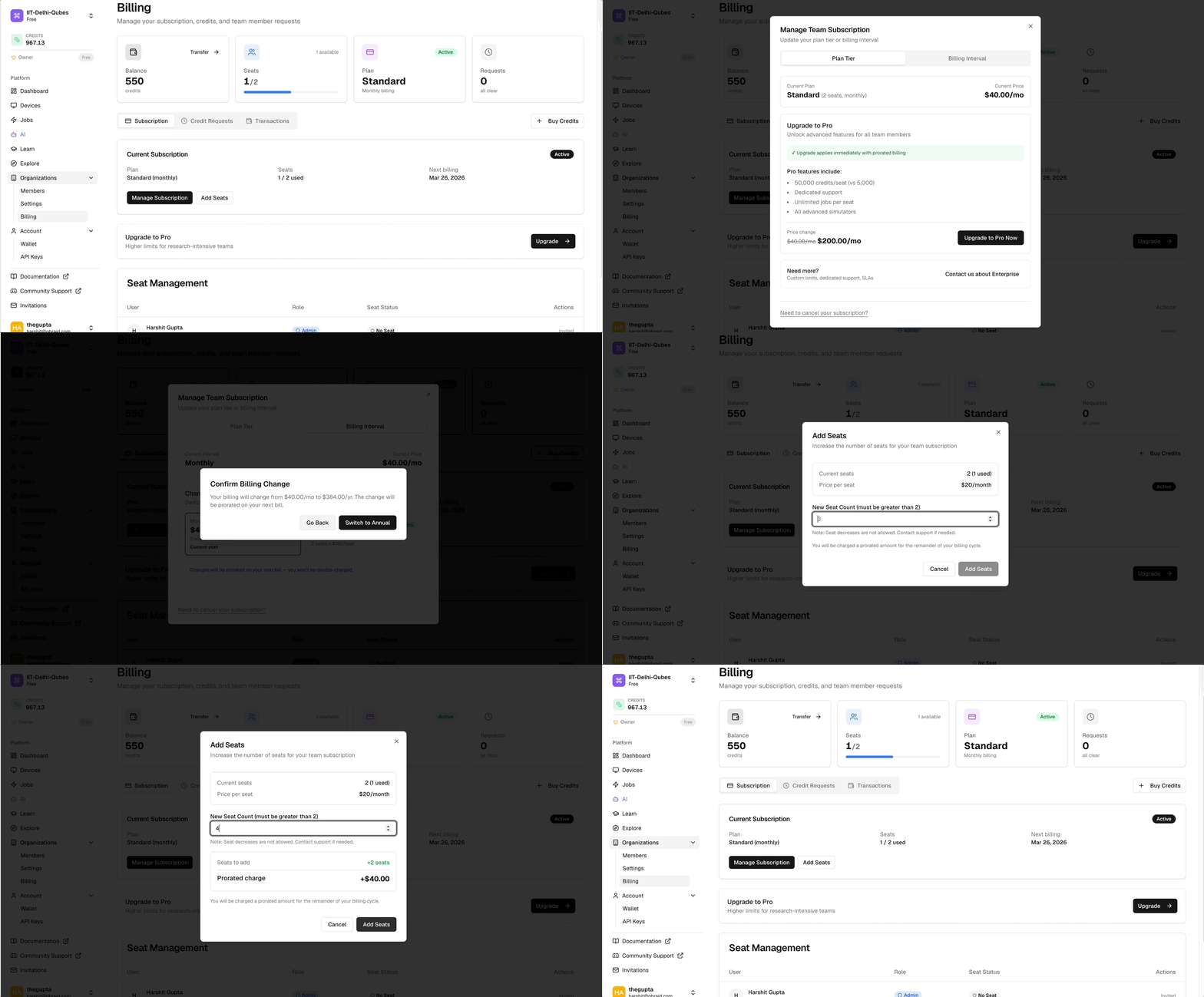
From the Billing tab, admins can make the following changes to an active subscription:- Change plan tier — Upgrade or downgrade between Standard and Pro.
- Change billing interval — Switch between monthly and annual billing.
- Add seats — Purchase additional seats to grow your team.
Seat Management
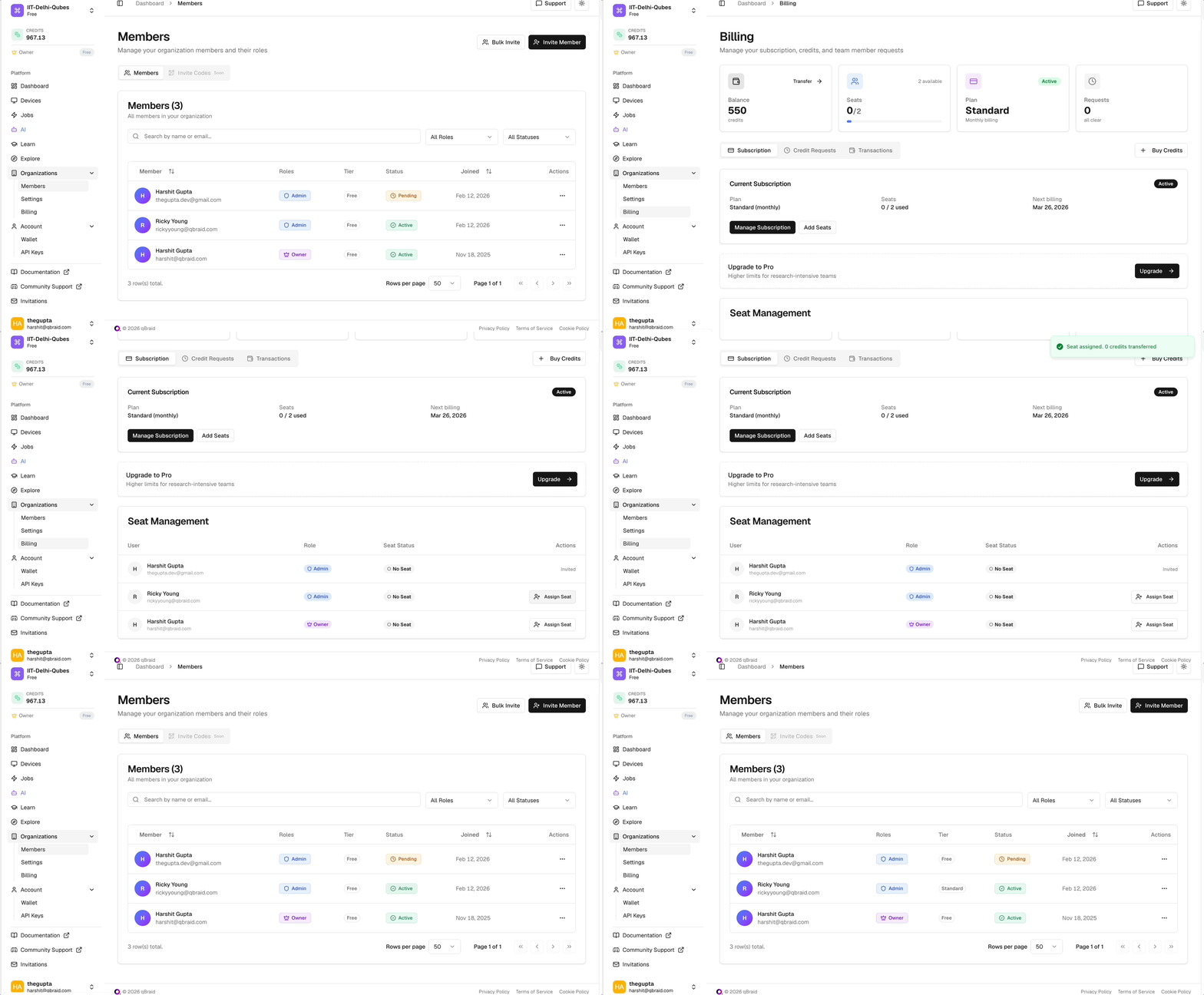
Organization owners / admins can assign a Standard or Pro seat to any member from the Billing tab. A member with an assigned seat receives the full benefits of that plan for the duration of the billing cycle.- Seats are billed monthly at the organization level.
- Unassigned seats remain in the organization’s seat pool and can be reassigned at any time.
- Seats can be revoked from a member at any time — the seat immediately returns to the org pool and can be reassigned to another member.
Credit Distribution
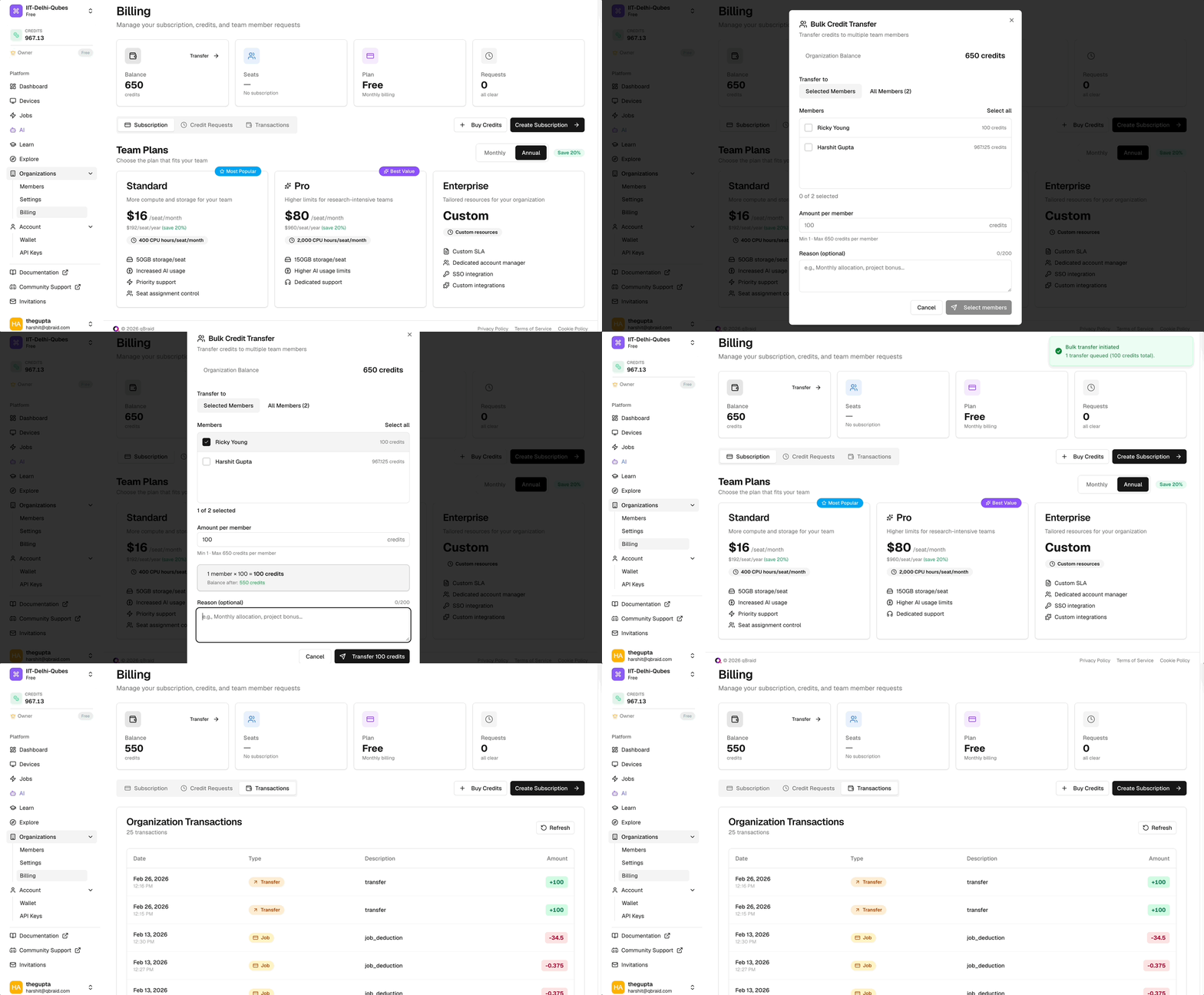
Organizations can purchase qBraid credits in bulk and distribute them to individual members. Each credit is worth $0.01 USD and can be used across all pay-as-you-go resources including QPUs, GPU instances, and simulators.How It Works
- The organization owner or admin purchases credits from the Billing tab.
- Credits are added to the organization credit pool.
- Admins can allocate credits to individual members from the Billing tab and choosing the Transfer button.
- Each member draws from their allocated balance when consuming pay-as-you-go resources.
Setting Credit Limits
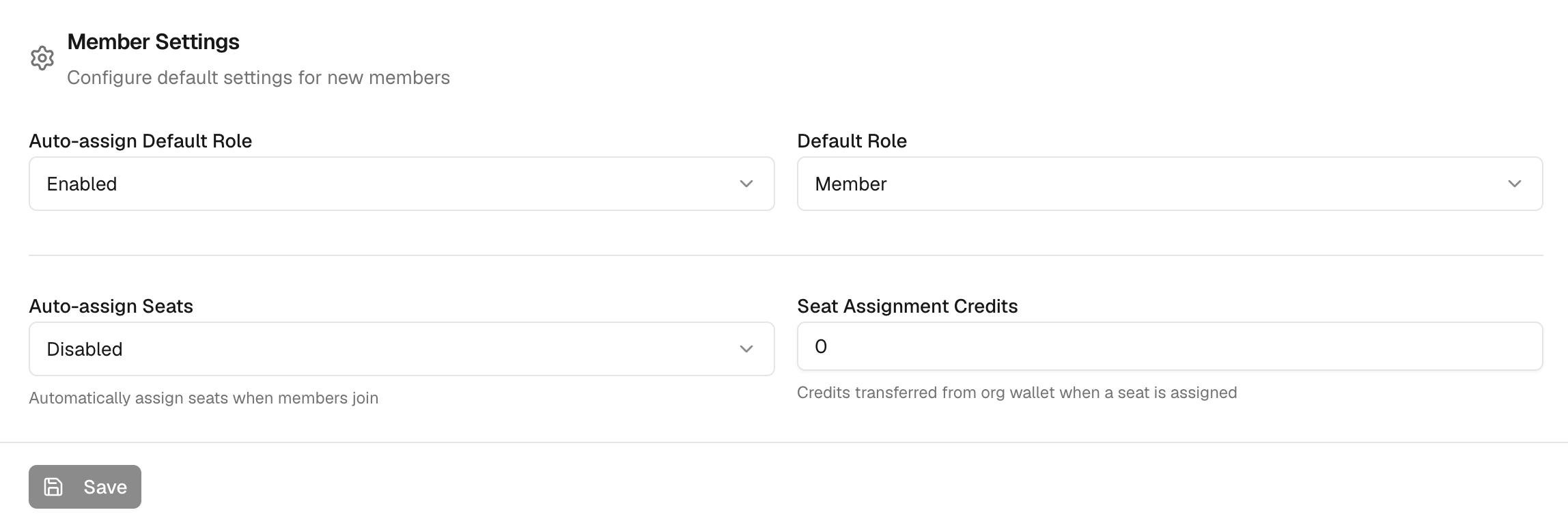
Admins can configure a default credit allocation applied automatically to new members. If a member’s balance reaches zero, their access to paid resources is paused until more credits are allocated.