> ## Documentation Index
> Fetch the complete documentation index at: https://docs.qbraid.com/llms.txt
> Use this file to discover all available pages before exploring further.
# Overview
> Use quantum systems within your team, lab, or company with shared resources and centralized billing.
A qBraid Organization is a shared workspace for your team. Instead of every person managing their own plan and credits, the org pays once, and admins hand out access, seats, and credits as needed.
It's built for research groups, university courses, and companies running quantum workloads at scale.
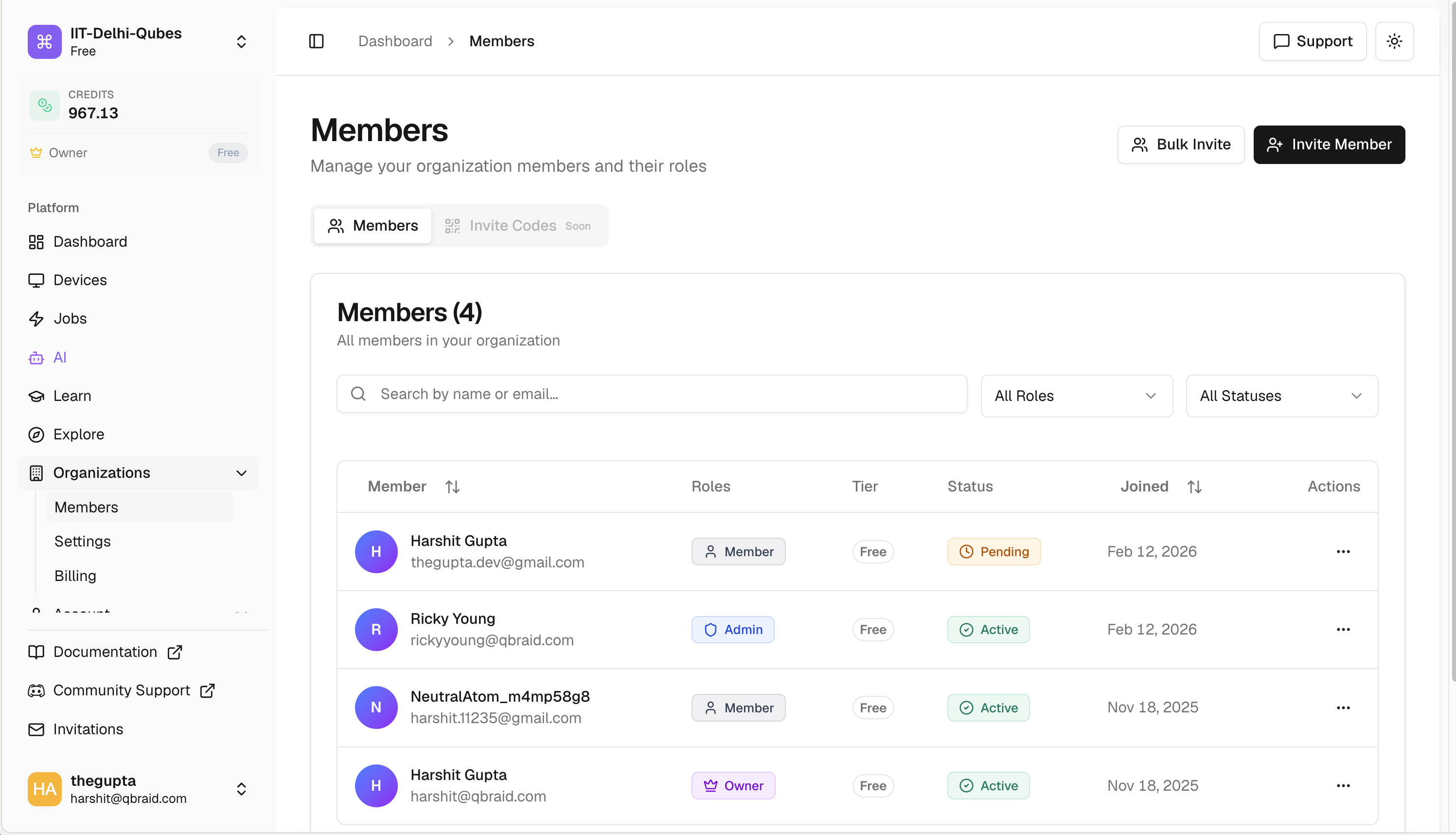 ## What you get
* **Team management.** Invite people, give them roles, and control what each person can do.
* **Shared credits.** Buy credits in bulk and transfer them to specific members (one at a time or in bulk).
* **Shared subscriptions.** One team plan with seats you assign to whoever needs the benefits.
* **Permission controls.** Three roles (Admin, Manager, Member) plus a single Owner per org.
* **Usage visibility.** See how the team is spending compute and credits in one place.
## Who it's for
* **Research groups** running shared experiments and pooling compute.
* **Universities** managing student access for courses, with caps so no one accidentally burns the budget.
* **Companies** deploying qBraid across teams with centralized billing and clean expense reports.
## Explore the docs
Submit a request to create your team workspace.
Invite teammates, manage roles, suspend or remove access.
Assign or revoke subscription seats for specific members.
Buy credits, transfer to members, approve requests.
Buy a team plan, change tier, or cancel.
Audit log with CSV export.
Logo, member defaults, danger zone.
New to qBraid? Start with the [qBraid Default
Wallet](/v2/account/wallet/overview) to understand how credits and personal
subscriptions work. Team subscriptions follow the same idea but apply per
seat.
## What you get
* **Team management.** Invite people, give them roles, and control what each person can do.
* **Shared credits.** Buy credits in bulk and transfer them to specific members (one at a time or in bulk).
* **Shared subscriptions.** One team plan with seats you assign to whoever needs the benefits.
* **Permission controls.** Three roles (Admin, Manager, Member) plus a single Owner per org.
* **Usage visibility.** See how the team is spending compute and credits in one place.
## Who it's for
* **Research groups** running shared experiments and pooling compute.
* **Universities** managing student access for courses, with caps so no one accidentally burns the budget.
* **Companies** deploying qBraid across teams with centralized billing and clean expense reports.
## Explore the docs
Submit a request to create your team workspace.
Invite teammates, manage roles, suspend or remove access.
Assign or revoke subscription seats for specific members.
Buy credits, transfer to members, approve requests.
Buy a team plan, change tier, or cancel.
Audit log with CSV export.
Logo, member defaults, danger zone.
New to qBraid? Start with the [qBraid Default
Wallet](/v2/account/wallet/overview) to understand how credits and personal
subscriptions work. Team subscriptions follow the same idea but apply per
seat.