> ## Documentation Index
> Fetch the complete documentation index at: https://docs.qbraid.com/llms.txt
> Use this file to discover all available pages before exploring further.
# API Keys
> Create, view, rotate, and revoke API keys for programmatic access to qBraid.
Every qBraid user gets unique API keys for programmatic access. Use them with [qBraid Runtime](/v2/sdk/user-guide/runtime), the [REST API](/v2/api-reference/user-guide), the [CLI](/v2/cli/api-reference/qbraid), or [Quantum Jobs](/v2/lab/user-guide/quantum-jobs) from Lab.
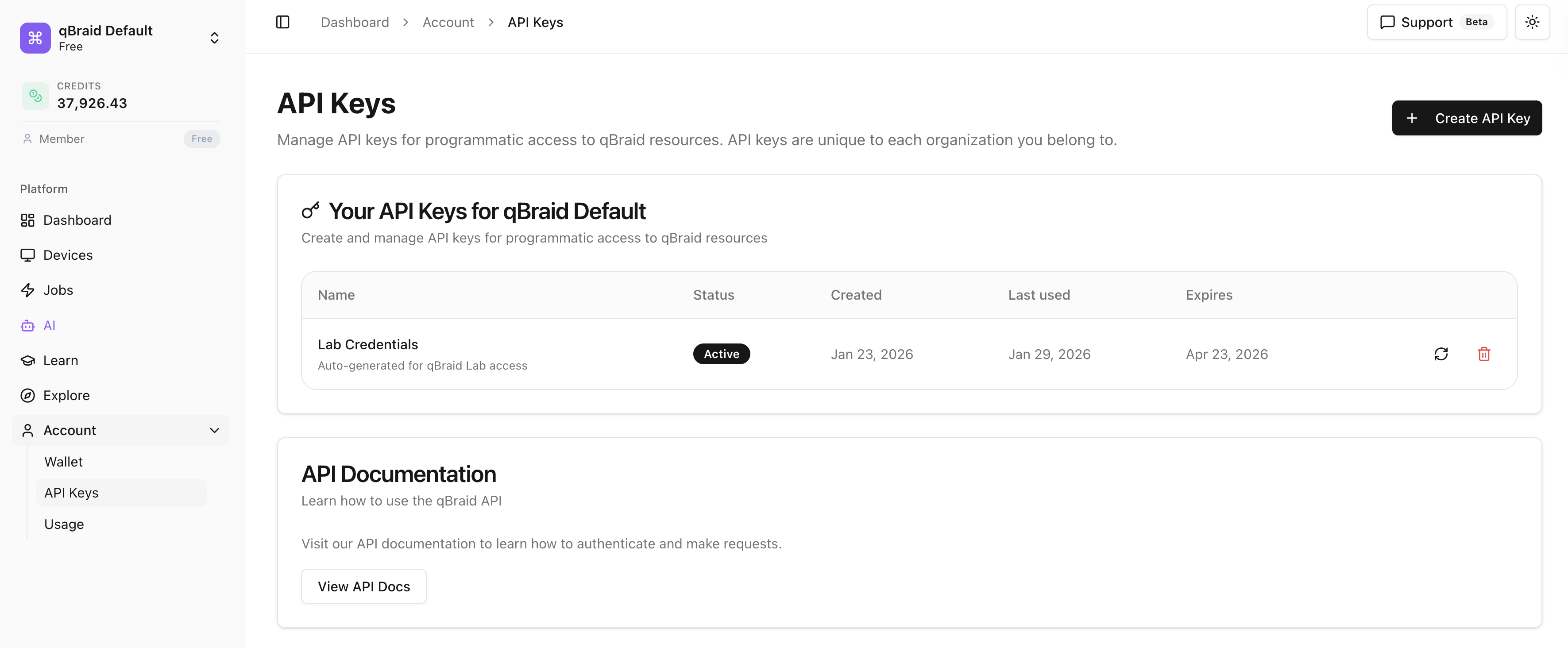
Open the API Keys page from the sidebar under **Account > API Keys**.
 ## Create an API key
Click **Account > API Keys** in the sidebar.
The button is in the top-right.
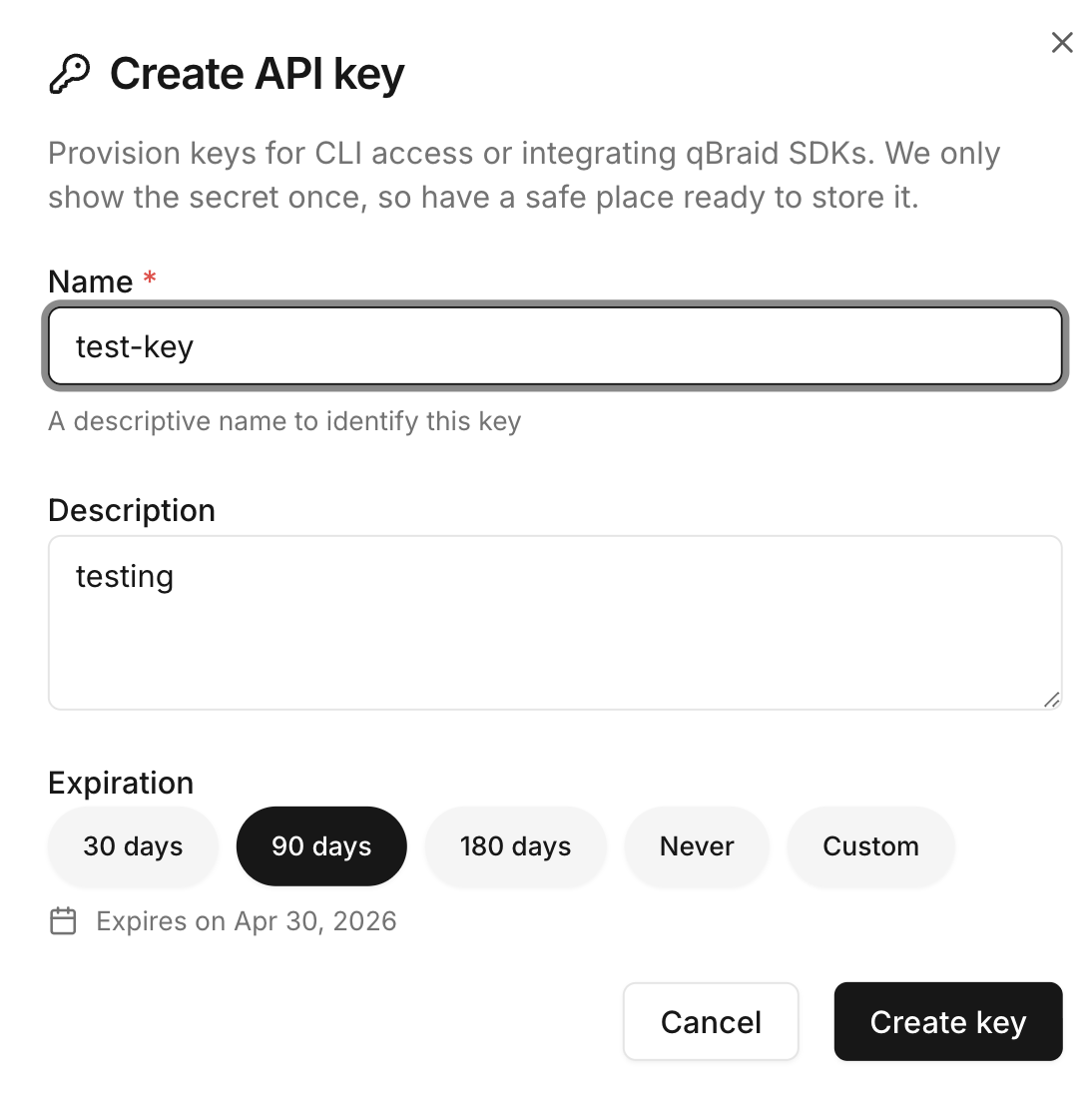
Name the key and pick any scopes if shown.
Click create. The new key value is shown once.
The key value is shown **only once**, right after creation. Copy it
immediately and store it somewhere secure. If you lose it, you'll have to
revoke and create a new one.
## Create an API key
Click **Account > API Keys** in the sidebar.
The button is in the top-right.
Name the key and pick any scopes if shown.
Click create. The new key value is shown once.
The key value is shown **only once**, right after creation. Copy it
immediately and store it somewhere secure. If you lose it, you'll have to
revoke and create a new one.
 ## View key details
Click **Account > API Keys** in the sidebar.
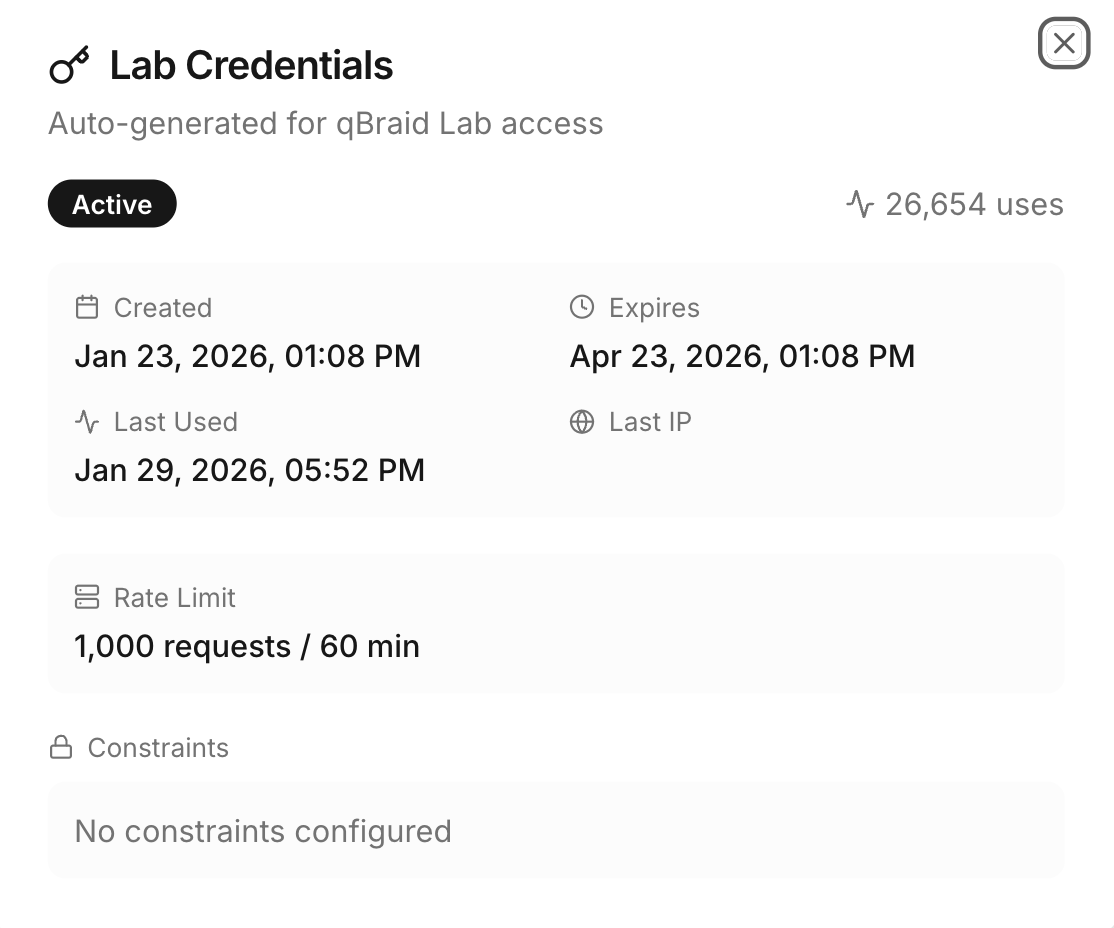
The row expands inline.
You'll see:
* Creation date.
* Last used date.
* Status (`active` or `inactive`).
* Permissions and usage stats.
## View key details
Click **Account > API Keys** in the sidebar.
The row expands inline.
You'll see:
* Creation date.
* Last used date.
* Status (`active` or `inactive`).
* Permissions and usage stats.
 ## Rotate a key
Rotation generates a new key value with the same name and permissions, and immediately invalidates the old one.
Click **Account > API Keys** in the sidebar.
Locate it in the list.
The refresh icon sits next to the Copy icon on each row.
Click **Regenerate Key** in the dialog. The new value is shown once.
Once you regenerate, the old key stops working straight away. Update every
service using it **before** rotating, or production will break.
## Revoke a key
Click **Account > API Keys** in the sidebar.
Locate it in the list.
The trash icon on the row.
Confirm in the dialog.
The key is permanently removed.
## Rotate a key
Rotation generates a new key value with the same name and permissions, and immediately invalidates the old one.
Click **Account > API Keys** in the sidebar.
Locate it in the list.
The refresh icon sits next to the Copy icon on each row.
Click **Regenerate Key** in the dialog. The new value is shown once.
Once you regenerate, the old key stops working straight away. Update every
service using it **before** rotating, or production will break.
## Revoke a key
Click **Account > API Keys** in the sidebar.
Locate it in the list.
The trash icon on the row.
Confirm in the dialog.
The key is permanently removed.
 Revoked keys cannot be recovered. Make sure nothing in production is still
using the key before you revoke.
## Security best practices
API keys grant access to your credits and resources. Treat them like passwords.
Every 90 days is a reasonable baseline. Rotate sooner if you suspect a leak.
Use environment variables or a secrets manager (1Password, Vault, AWS
Secrets Manager, etc.).
Send via a password manager or vault link. Screenshots leak through bug
reports and tickets.
Review the **Last used** column periodically. If a key is being used when it
shouldn't be, revoke it.
If you discover a vulnerability, report it via our [security advisory form](https://github.com/qBraid/community/security/advisories). For the full security policy, see [qBraid Security Policy](https://github.com/qBraid/community/security/policy).
Revoked keys cannot be recovered. Make sure nothing in production is still
using the key before you revoke.
## Security best practices
API keys grant access to your credits and resources. Treat them like passwords.
Every 90 days is a reasonable baseline. Rotate sooner if you suspect a leak.
Use environment variables or a secrets manager (1Password, Vault, AWS
Secrets Manager, etc.).
Send via a password manager or vault link. Screenshots leak through bug
reports and tickets.
Review the **Last used** column periodically. If a key is being used when it
shouldn't be, revoke it.
If you discover a vulnerability, report it via our [security advisory form](https://github.com/qBraid/community/security/advisories). For the full security policy, see [qBraid Security Policy](https://github.com/qBraid/community/security/policy).